SOPs & procedures
Record a real task and use its action timeline, notes and Markdown exports to document the process.
 Trailframe
BROWSER WORKFLOW RECORDER
Document a procedure, explain a bug or hand over a task. Record the steps, visible context and network evidence together, then export one clearly named package.
Chrome 125+ · local only · no account · preview release
Trailframe__Dispatch-booking__…workflow.zipTimeline · numbered parts · payloads · images
Illustrative example, not an installed capture.
ONE RECORDING. MANY PRACTICAL USES.
Record a real task and use its action timeline, notes and Markdown exports to document the process.
Preserve the steps of a browser-based process for employees, customers and new team members.
Keep reproduction steps, screenshots, console errors and relevant requests in one support handover.
Record what you tested, the expected result and the observed outcome for later review.
Inspect failed or slow calls, readable request/response bodies, redirects and stream messages.
Share the task's goal, sequence, decisions and result as a portable evidence package.
Review repeated steps and interruptions before changing the way a task is performed.
Give an AI recorded reference evidence to help describe a workflow or draft a reviewed automation plan.
INSIDE TRAILFRAME
Actual application interface with fictional demonstration data.
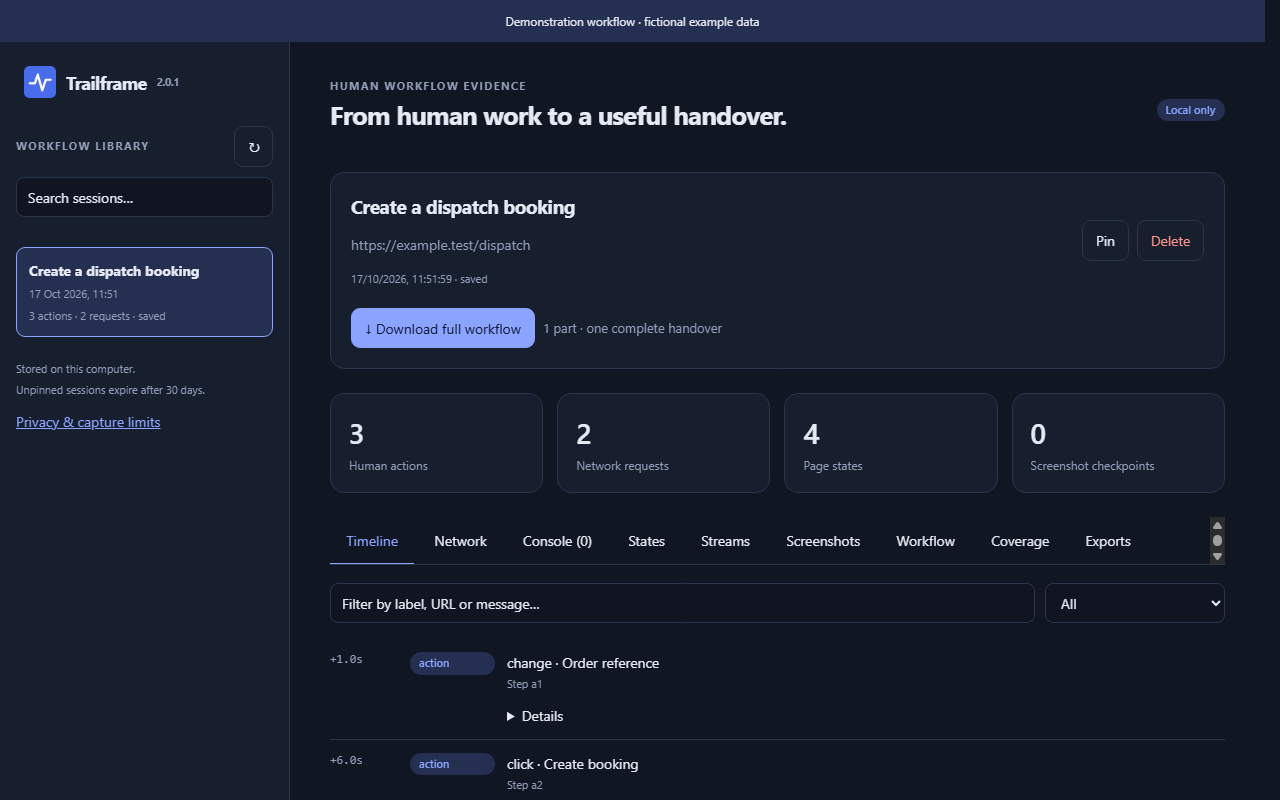
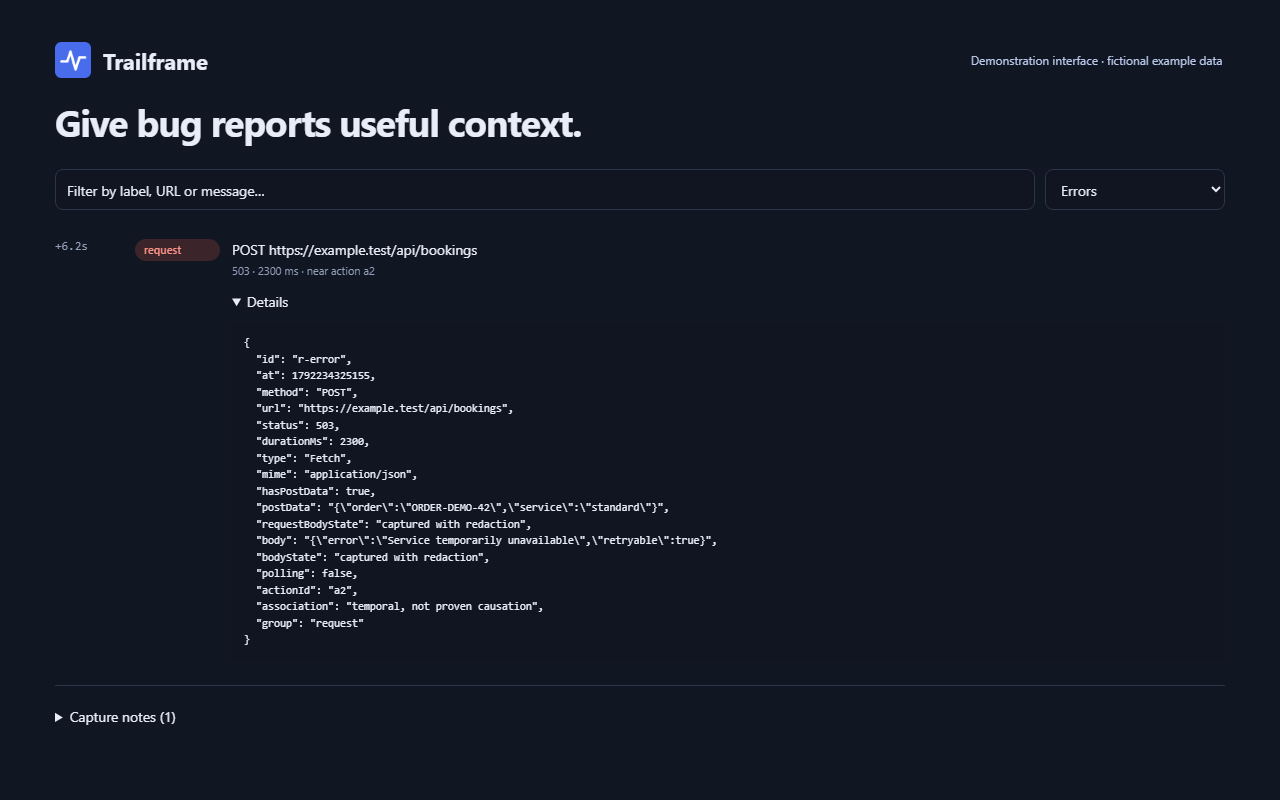
CAPTURE THE PROCEDURE
Clicks, field changes, selections, checkboxes, navigation keys, scrolling, submissions and file/clipboard action metadata. Add notes to explain decisions.
Visible DOM states before and after recorder events, plus changed-page screenshot checkpoints. Capture labels, values, validation and the final visible result.
Requests, redacted readable payloads, responses, errors, timings, redirects, WebSocket text and server-sent events. Unavailable or oversized bodies are labelled.
One ZIP contains all parts, a chronological timeline, screenshots, HAR files, workflow documents and a coverage report for colleagues, support teams or a receiving AI.
START IN A FEW STEPS
This preview is distributed as an unpacked extension. It is available to download now. Chrome Web Store publication and updates are subject to Google’s review.
Package SHA-256 · Release metadata · Privacy & limits
Updating AK Trace? Export a backup, replace files in the same permanent installation folder, then Reload. This preserves the extension ID and local recordings.
RECORD → REVIEW → HAND OVER
Stay in the chosen tab. Add notes explaining why you made a choice. Pause for excluded intervals; gaps are documented. Chrome shows a debugging banner.
Stop & save, enter the observed outcome, review each part and its images, and inspect Coverage. Remove unsafe screenshots before export.
The name includes task, website, UTC time and a unique ID. Use the archive for documentation, support and handover. An AI can read START-HERE.md to help describe observed steps and missing evidence.
The archive is reference material. Uploading it does not automatically fine-tune a model or give an AI permanent memory. The receiving system determines its training and retention.
HONEST COVERAGE
Attached frames and dedicated workers are observed where Chrome permits. Long recordings rotate into storage parts; the full download includes every part.
Up to twelve hours or approximately 256 MiB of stored evidence per workflow; 500 screenshot checkpoints; 512 KiB per readable body. Browser/library quotas may stop capture sooner. Use a continuation recording for longer work.
Other tabs, popup windows, passwords, cookies/tokens, private fields, file contents, video/audio and hidden server state. XML, HTML, scripts and binary bodies are omitted.
Page states cover up to 700 visible elements with text limits. Screenshots show viewports, not video. Before/after phases and request links do not prove application completion or causation.
Validation status: automated recorder, storage, archive and interface checks pass. Installed Chrome recording, real cross-origin frames and DevTools Recorder import still need manual validation. This is a preview for that validation.